Buy Me a Coffee
Docker Swarm - Efficient container management with prune

[Docker] Understanding `docker stack deploy --prune` in Docker Swarm

When managing services in Docker Swarm mode, the --prune flag in docker stack deploy helps keep your stack synchronized with your compose file. It ensures that only the services defined in your current file remain running, and anything outdated is automatically cleaned up. What the --prune Flag Does When you run this command: docker stack deploy -c docker-compose.yml mystack --prune Docker compares your current stack with the new compose file and performs three actions: ...

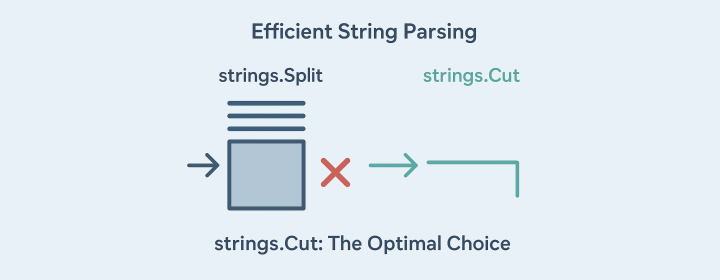
Golang string parsing - Illustration depicting efficient string parsing in Go

[Golang] Efficient String Parsing in Go: Why strings.Cut is Your Go-To Function

Introduction When working with strings in Go, you might reach for the strings.Split function to get the first part of a string before a known delimiter. However, this approach isn’t optimal for performance-sensitive code. In this post, we’ll explore why using strings.Cut can be a better choice and discuss some efficient alternatives for string parsing in Go. The Inefficiency of strings.Split While strings.Split is a straightforward choice for separating strings by a delimiter, it comes with drawbacks: ...

[Golang/CVE] Why Your Playwright Tests Might Fail After Updating gorilla/csrf to Fix CVE-2024-24787

After updating the github.com/gorilla/csrf package in your Go backend from v1.7.2 to v1.7.3, you might suddenly notice that your Playwright tests start failing — specifically with 403 Forbidden responses. What Changed? This update addresses a security vulnerability: CVE-2024-24787. It’s a Golang backend issue, not related to WebSocket libraries like ws, despite what some GitHub advisory titles might misleadingly suggest. In v1.7.3, gorilla/csrf now strictly enforces same-site origin checks using the Origin and Referer headers. If these headers are missing or don’t match the expected host, CSRF validation fails, and the request is blocked with a 403. ...

[Golang] Why You Should Use errors.As Instead of Type Assertions err.(*MyError)

Introduction Go 1.13 introduced powerful features for error wrapping and introspection — namely errors.Is and errors.As. While it’s tempting to reach for traditional type assertions (e.g., err.(*MyError)), there’s a safer and more idiomatic tool for the job: errors.As. This post explains why you should use errors.As over type assertions, with clear examples for both concrete error structs and interfaces like net.Error. The Problem with Type Assertions Consider the old way of checking if an error is of a specific type: ...

Bookmark Blitz Logo

Bookmark Blitz Release Notes🚧

🚀 Installations Google Chrome Web Store 🔗 Microsoft Edge Add-ons Store 🔗 📋 Release Notes 🛠️ Version: 2.0.1 (18/Mar/2025) Fixed the bug with QR Code being cropped when the number of bookmarks is too less Added shortcut key Ctrl + Shift + 8 to open the extension popup window Updated logo and icon Added total bookmarks count in the popup window 🛠️ Version: 2.0.0 (03/Mar/2025) Added QR Code option Rebuilt Popup Window page Rebuilt Setting page Added new language AR, FR, DE, JA, KO 🛠️ Version: 1.2.0 (09/Jul/2024) Added Configuration page Added Allow to delete bookmark option Added new language zh_TW

parse json arguments from command-line flags

[K8s/TLS] How to Create Local Kubernetes Cluster with Custom TLS Certificates in WSL

1. Introduction In this tutorial, we will walk through the steps to create a local Kubernetes cluster with TLS certificates configured. This setup ensures secure communication between your Kubernetes components. 2. Prerequisites Docker installed on your local machine kubectl installed kind installed OpenSSL installed for generating TLS certificates 3. Install kubectl (Ubuntu) curl -LO "https://dl.k8s.io/release/$(curl -L -s https://dl.k8s.io/release/stable.txt)/bin/linux/amd64/kubectl" chmod +x kubectl sudo mv kubectl /usr/local/bin/ Verify the Installation You can verify the installation by running the following command: ...

linode object storage dns tls setup

[Linode/TLS] Setting Up TLS and DNS for Linode Object Storage: A Workaround for Static Website Hosting ✨

Introduction Hosting a static website on Linode Object Storage is possible, but integrating it with a custom domain and enabling HTTPS can be tricky due to certain limitations. In this guide, I’ll walk you through the challenges I faced while setting up a static website for a client and the solutions I implemented to make it work. The Challenges ⚠️ Client’s DNS Management in Linode: Since the client’s DNS is managed within Linode, switching to an external service like Cloudflare wasn’t an option. Linode Object Storage Only Supports CNAME: While I could point www.domain.com to Linode Object Storage, the root domain (domain.com) could only resolve to an IP address, not a CNAME. Limited TLS Support: Linode Object Storage doesn’t automatically handle HTTPS for custom domains, requiring a manual setup for TLS certificates. No Cloudflare CDN: Due to Linode DNS restrictions, I couldn’t use Cloudflare to improve performance and security. ⚡ Generate instantly: OneClickTLS.com - create self-signed TLS/mTLS certificates in seconds, directly in your browser. No uploads, no storage, and no setup needed - just instant generation. If it saves you time, you can ☕ Buy me a coffee to support future tools like this. The Solution 🛠️ To overcome these limitations, I set up a workaround using a reverse proxy with Let’s Encrypt TLS certificates. ...

bookmark blitz 2.0.0 release

Introducing Bookmark Blitz: Your Ultimate Bookmark Manager 🚀

Are your bookmarks getting out of control? Do you struggle to find saved pages in a growing list? Say hello to Bookmark Blitz, the browser extension designed to bring effortless organization and lightning-fast access to your bookmarks! ⚡ 🔥 Why Bookmark Blitz? Managing bookmarks in a cluttered browser can be frustrating. With Bookmark Blitz, you get: ✅ Swift Navigation – Quickly find bookmarks, even in large collections. ✅ Bookmark Insights – Track usage and gain valuable insights. ✅ Seamless Management – Keep everything organized with ease. ...

Installing FastIndex on DigitalOcean

[FastIndex]Installing FastIndex on DigitalOcean: A Step-by-Step Guide

Setting up a new digital environment can be intimidating, but with this guide, installing the FastIndex GitHub repository on a DigitalOcean server becomes a breeze. Follow along to get your FastIndex application up and running! Step-by-Step Installation Instructions 1. Create and Access Your Droplet Start by creating a new droplet on DigitalOcean. Once ready, access your server via SSH: cd ~/.ssh && ssh -i ./digitalocean/id_rsa "root@<ip_addr>" 2. Update and Upgrade Your Server Ensure your server is updated and upgraded. If prompted to keep a version, choose “keep the local version currently installed.” ...

Signing Git Commits with GPG Keys

[Git] How to Sign Existing Git Commits with GPG Key

Have you ever wanted to add that extra layer of authenticity to your Git commits by signing them with a GPG key? Maybe you forgot to sign a commit and now you’re stuck thinking, “Do I have to rewrite history for this?” Well, yes — but it’s easier than you think. Let’s dive in and get it done. Why Sign Commits? First, a quick refresher: Signing commits with a GPG key proves that the commit really came from you. It’s a great way to verify authenticity, especially for collaborative projects or open-source contributions. ...

DigitalOcean Referral Badge
Sign up to get $200, 60-day account credit !