
Introducing GetStreamVault: Your Self-Hosted Video Vault
Saving online media often starts with a command-line tool and ends with a folder full of files that have lost their context. Personal video uploads tend to end up in another folder, disconnected from the same archive.
The video may be preserved, but its original title, source URL, uploader, thumbnail, subtitles, format, and download history are scattered or missing. Running the same workflow on a home server or NAS adds more pieces: background jobs, progress tracking, retries, storage configuration, user access, and a way to find the file again later.
I built GetStreamVault to bring those sources into one private, self-hosted workflow:
Online media URL or personal upload -> preserved media and metadata -> organized private library -> browse and playback
GetStreamVault lets you archive media from multiple supported online platforms, upload your own videos, and keep everything organized in one library. It runs with Docker Compose and stores new media either on local disk or in a private S3-compatible destination.
The goal is not simply to download a file. It is to connect media ingestion, metadata preservation, storage, organization, and playback so the archive remains useful after the download or upload finishes.
The current release is v0.1.7 Early Access. It is useful today, but it is not presented as a finished automation platform. I am publishing it now because feedback from real installations is more valuable than continuing to add features based only on assumptions.
Why I Built GetStreamVault
Command-line download tools are powerful, but a command is only one part of a long-running archive.
Once downloads move onto an always-on server, several practical questions appear:
- What is running, waiting, completed, or failed?
- Can a failed job be understood and resumed without reading container logs?
- Which source URL produced a file?
- Where are the thumbnail, subtitles, uploader, duration, and format details?
- Can the archive use private object storage instead of only local disk?
- Can more than one user access the server without seeing every private item?
- Can a compatible source be checked for new media without downloading duplicates?
GetStreamVault is my attempt to answer those questions with one focused web application rather than another collection of scripts.
Tools such as yt-dlp are excellent download engines, and media servers such as Jellyfin provide broad home-media ecosystems. GetStreamVault is not trying to replace either one at its specialty. It focuses on simplifying the workflow between a URL or personal upload and a preserved, organized library that is ready to browse and play.
The GetStreamVault Workflow
1. Inspect Before Downloading
Paste a supported source URL and inspect its metadata and available formats before creating a job. You can choose the quality and container you want, edit the title used in your archive, and optionally assign the completed item to a collection.
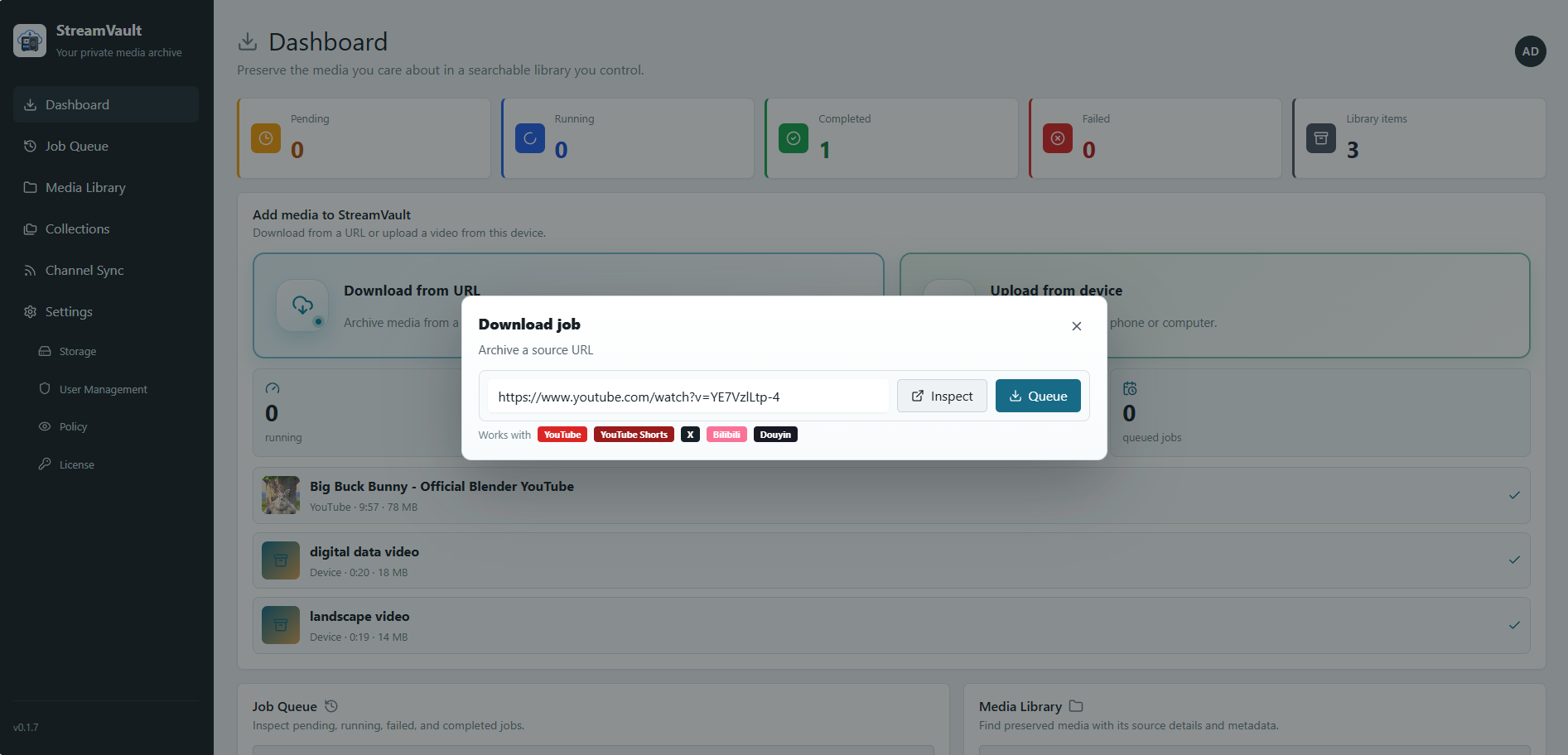
Current releases support manual ingestion from sources including YouTube, YouTube Shorts, X, Bilibili, and public Douyin videos. Platform behavior can change, so the known limitations page is the best place to check current constraints.
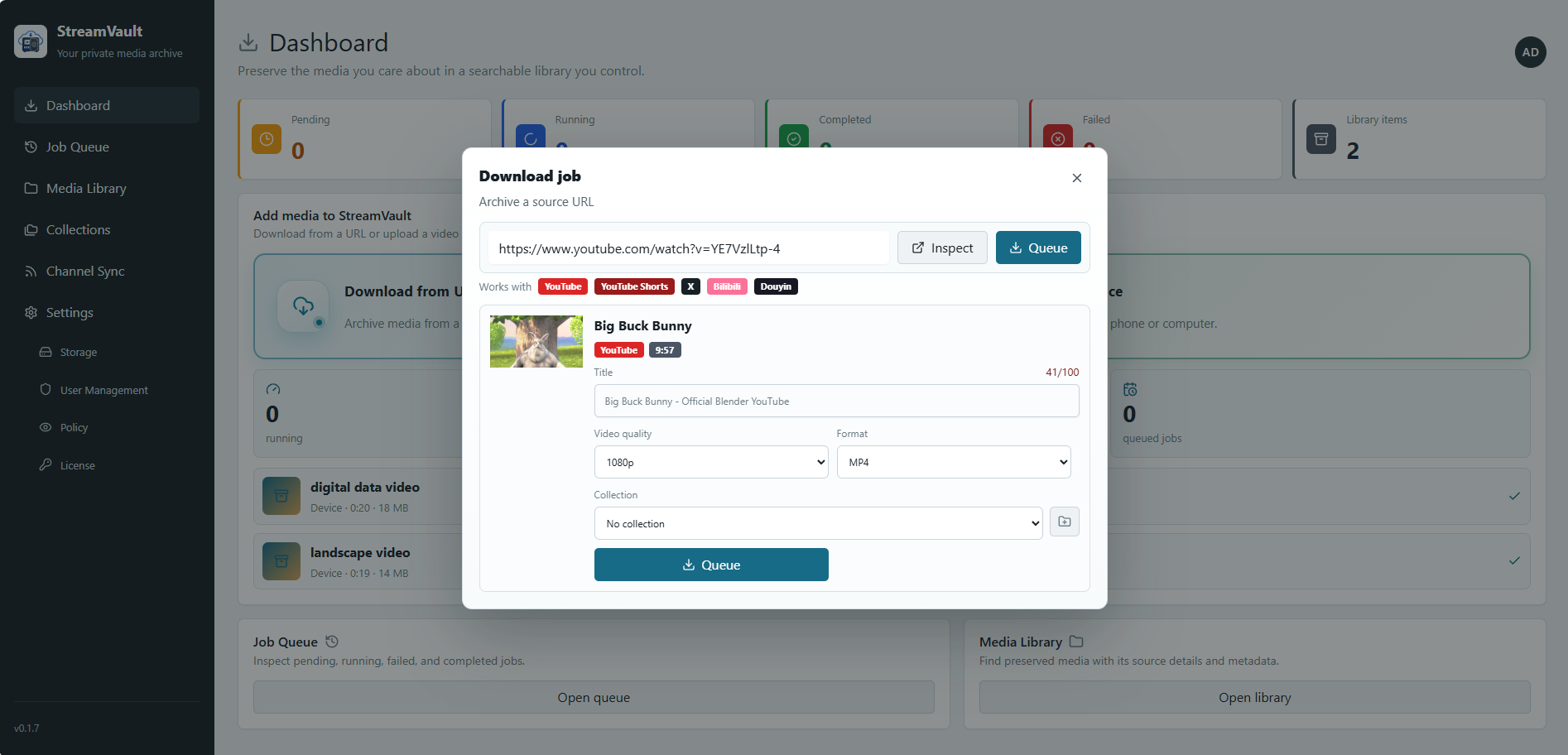
Demo media: Big Buck Bunny, © 2008 Blender Foundation / bigbuckbunny.org, licensed under CC BY 3.0.
2. Queue Work in the Background
Downloads run as background jobs instead of tying the work to a browser tab.
The job queue shows pending, running, completed, failed, and cancelled jobs. It also exposes progress, downloaded size, source details, and controls for cancelling or resuming work.
3. Upload Existing Videos
GetStreamVault v0.1.7 also allows videos to be uploaded directly from a phone or computer. Uploads are resumable and can be assigned to a collection, so the media library is not limited to content retrieved from a URL.
The configured storage destination is respected: local uploads are handled by the downloader, while S3 uploads are sent as multipart objects without requiring the downloader to stage the whole file first.
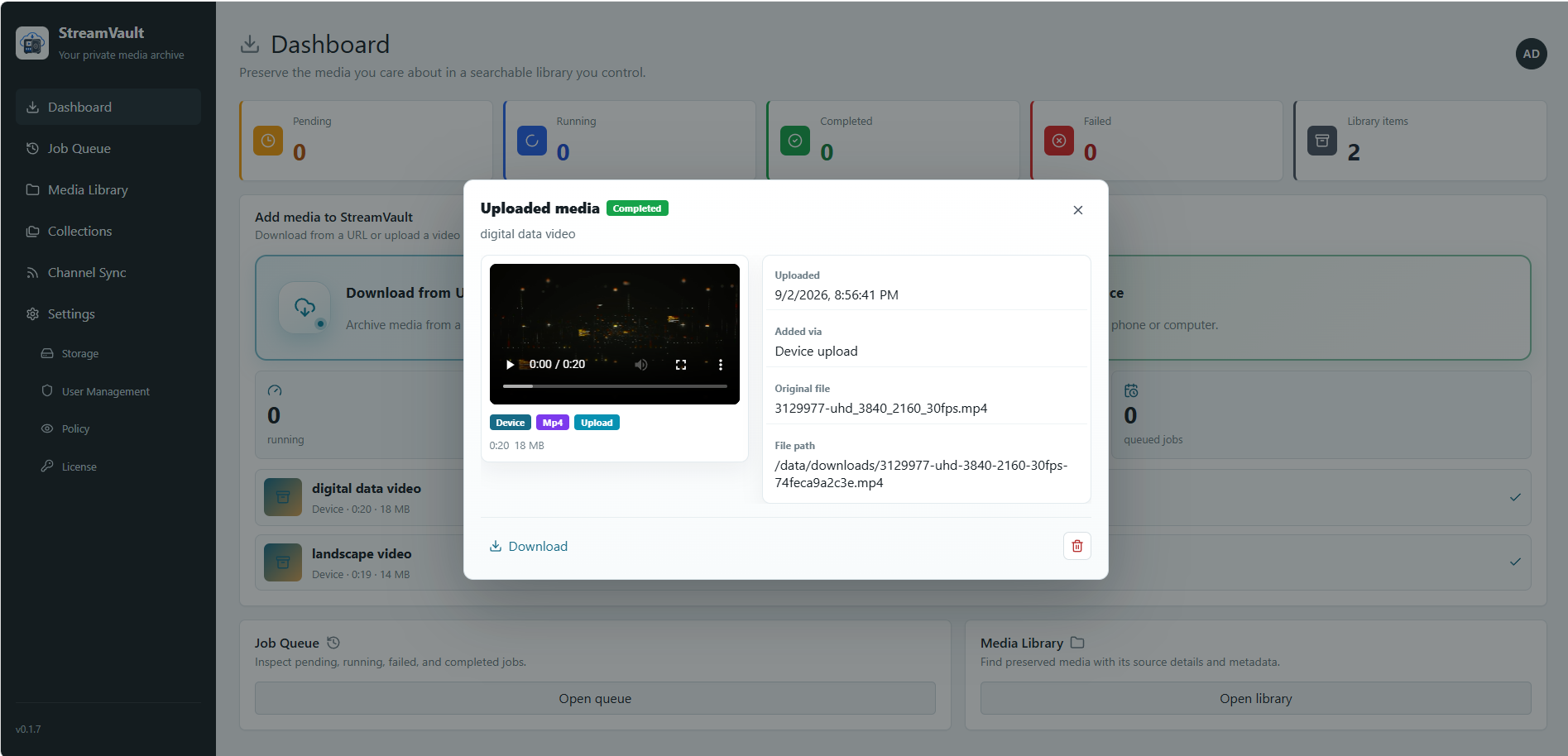
The device-upload examples use free stock footage from Pexels.
4. Keep an Organized Media Library
When a job finishes, GetStreamVault retains the media together with useful context such as:
- Title and original source URL
- Platform and uploader information
- Thumbnail and subtitles when available
- Duration, format, file size, and storage location
- Download or upload history
- Collection membership
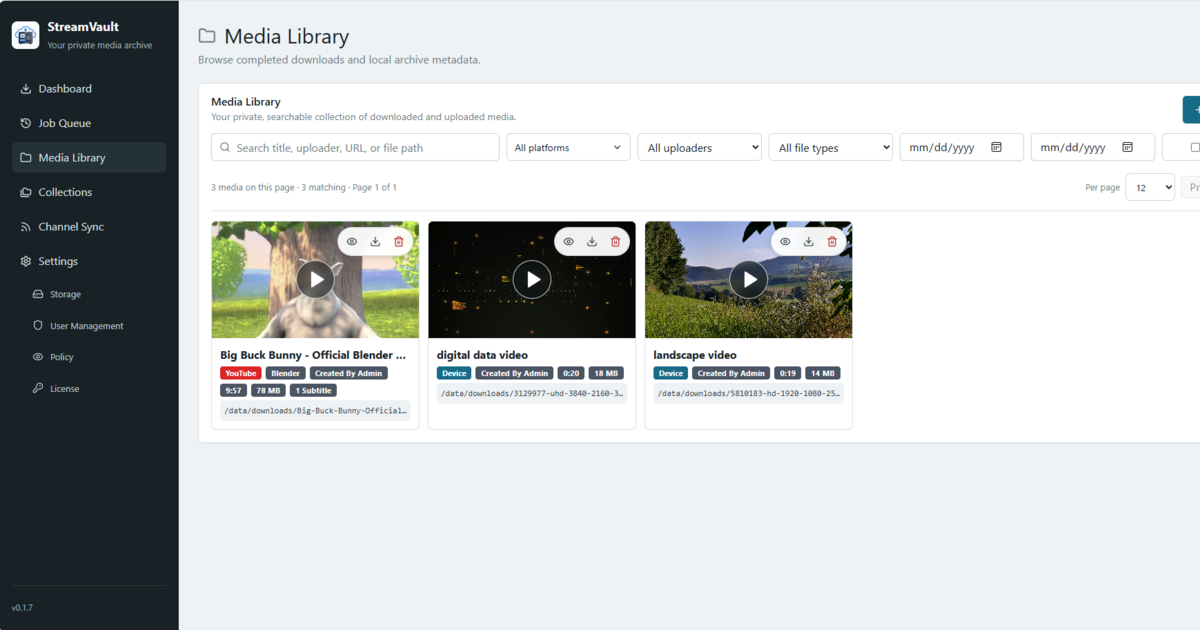
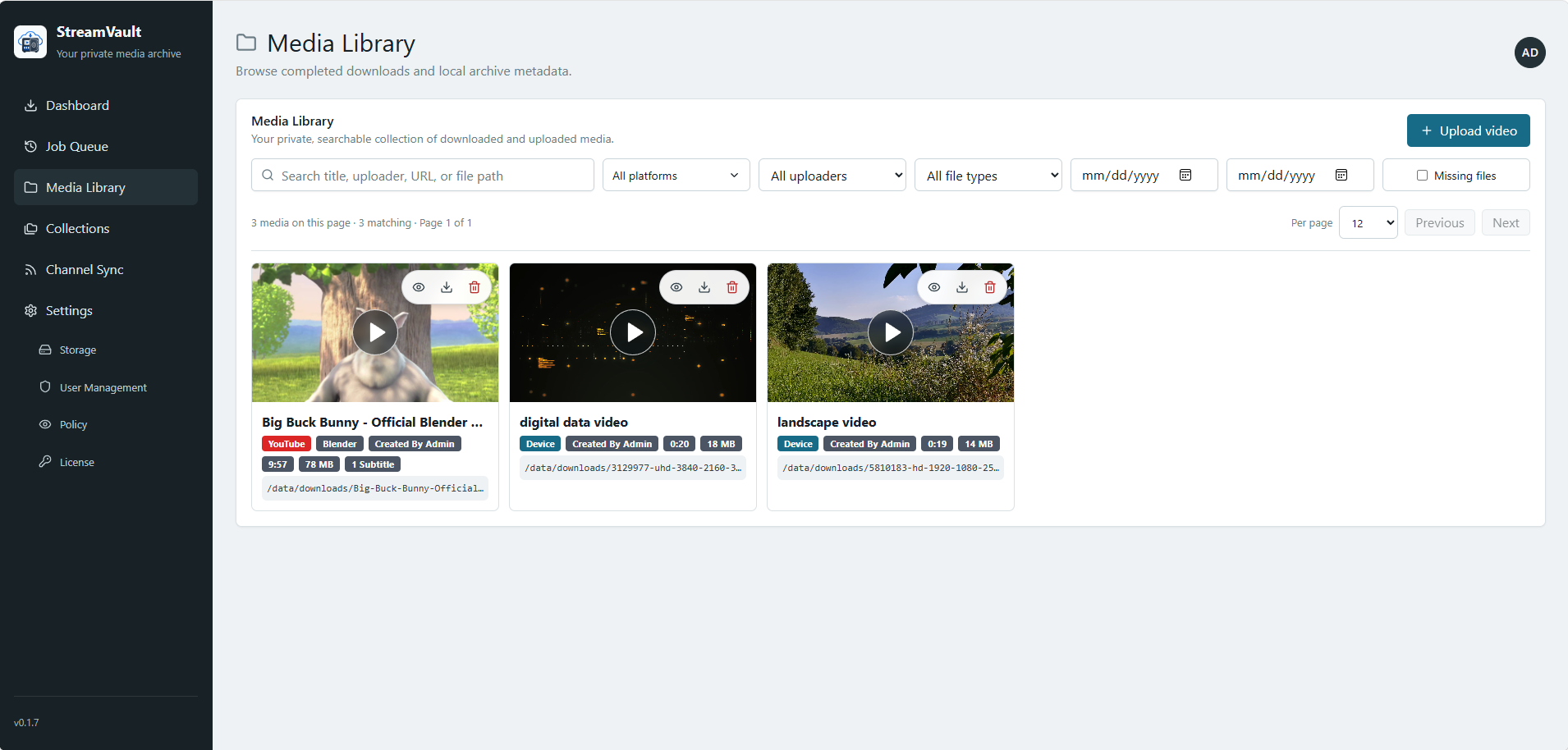
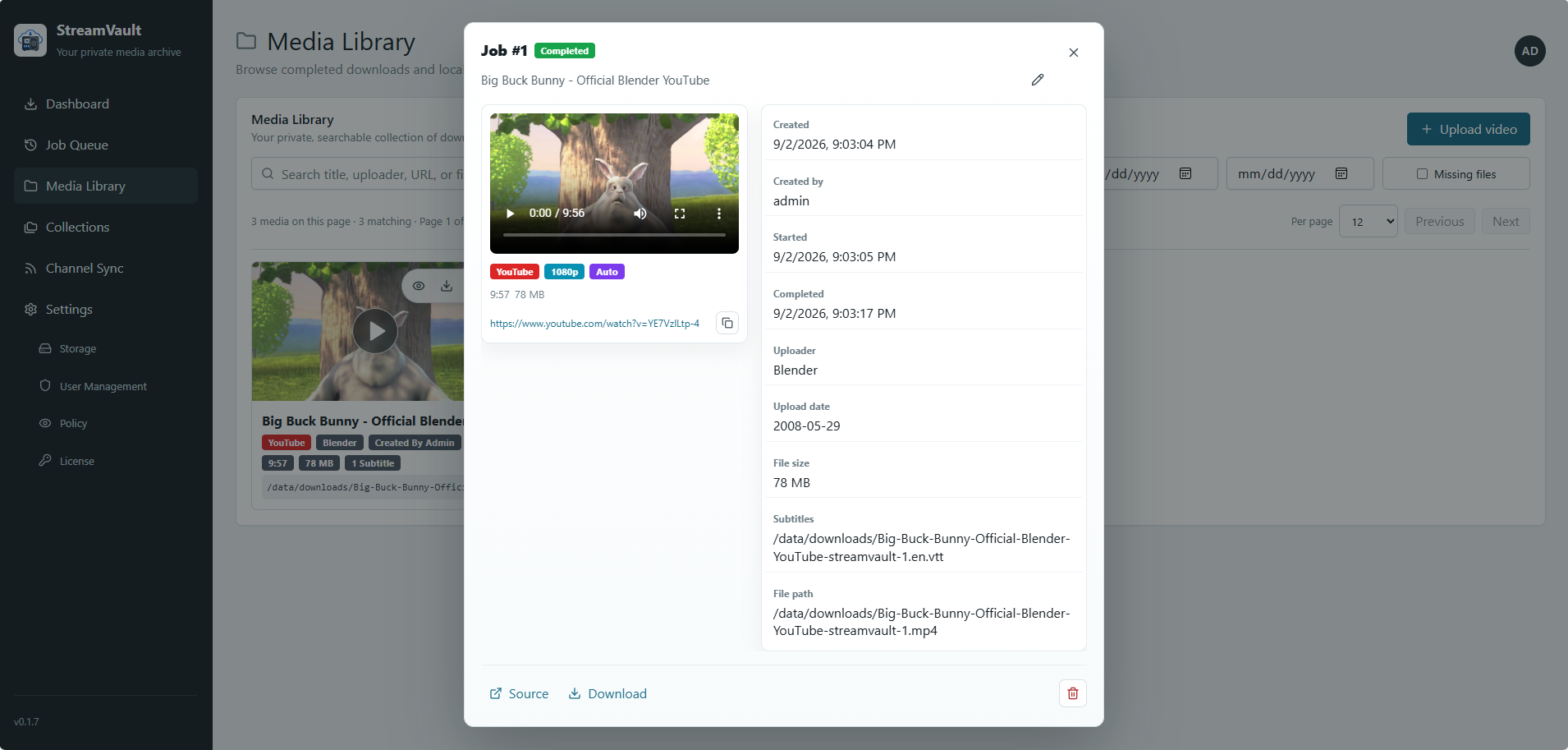
Completed media can be searched, downloaded through the authenticated application, or played in the browser when the browser supports its codec.
Open an item to see its playback controls, original source, uploader, timestamps, subtitles, file size, and storage path.
5. Choose Local or Private S3 Storage
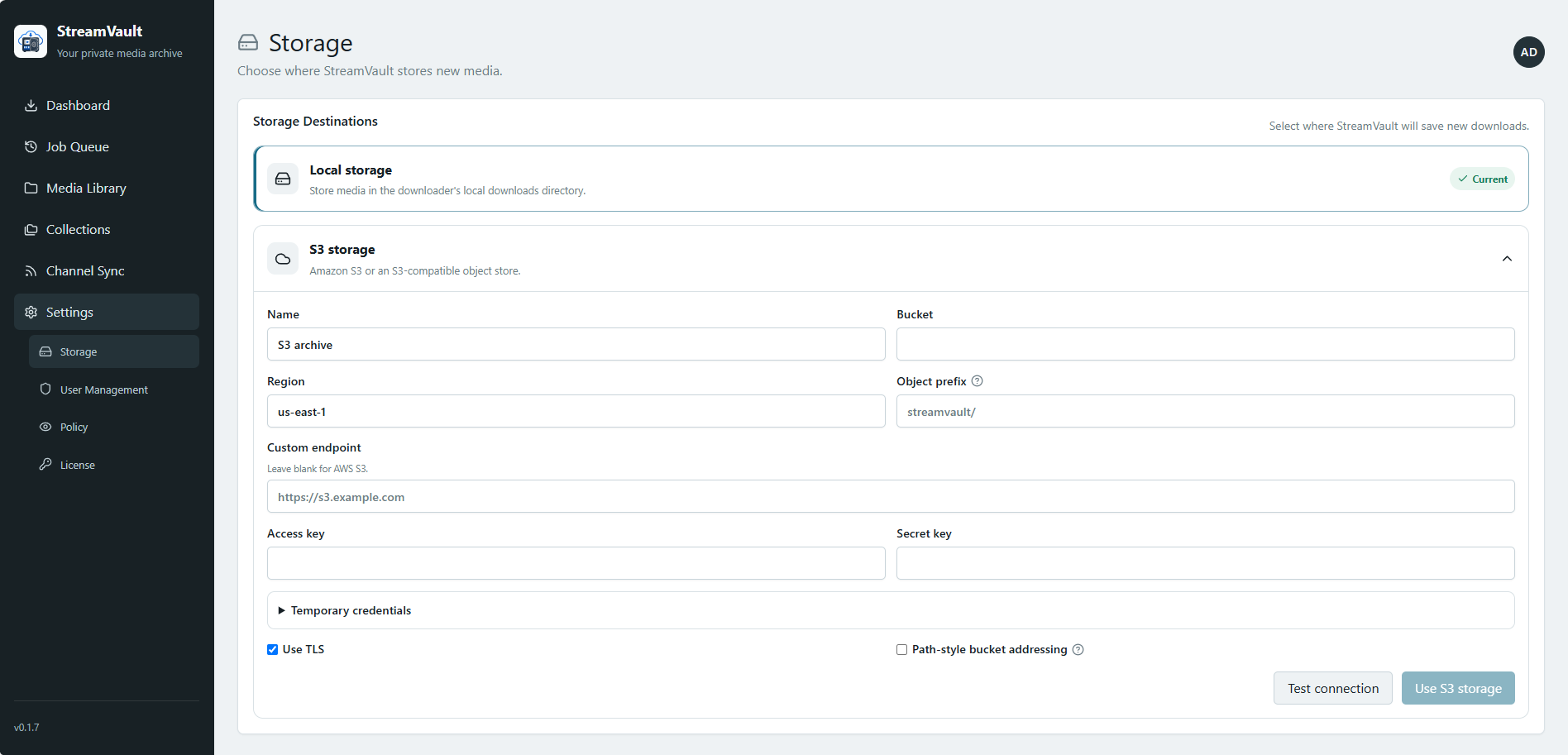
New media can be stored in the local downloader directory or in a private S3-compatible destination such as AWS S3 or MinIO.
Before GetStreamVault accepts an S3 configuration, it verifies write, read, and delete access. Credentials are encrypted, and private objects are streamed through the authenticated application rather than exposing bucket credentials to the browser.
More Than a Download Form
GetStreamVault currently includes:
- Background download and upload jobs with progress and lifecycle controls
- A searchable media library with browser playback and authenticated downloads
- Collections for organizing media across different sources
- Private collections that are hidden from standard users
- Administrator and standard user accounts
- Local and private S3-compatible storage destinations
- Early scheduled sync for compatible channels, playlists, and uploader pages
- Optional anonymous installation telemetry with an admin control and payload preview
- In-app release notifications
The goal is not to replace every specialized downloader feature. It is to make the day-to-day archival workflow easier to operate and understand on infrastructure you control.
Install GetStreamVault with Docker Compose
GetStreamVault’s supported Early Access installation path is Docker Compose. You need Docker, Docker Compose, persistent storage, and outbound HTTPS access from the host.
Create a folder for the Compose file and persistent data, then save the following as docker-compose.yml:
services:
  streamvault:
    image: streamvault/streamvault:${STREAMVAULT_VERSION:-0.1.7}
    pull_policy: always
    ports:
      - "${STREAMVAULT_HTTP_PORT:-8080}:8080"
    environment:
      STREAMVAULT_DOWNLOADER_URL: "http://downloader:8090"
    volumes:
      - ./streamvault-data:/data
    depends_on:
      - downloader
    restart: unless-stopped

  downloader:
    image: streamvault/downloader:${STREAMVAULT_VERSION:-0.1.7}
    pull_policy: always
    volumes:
      - ./streamvault-data/downloader:/data
    restart: unless-stopped
Start the services:
docker compose up -d
Open http://localhost:8080, create the first administrator account, and start the 15-day local trial. A license key is not required to begin the trial.
Keep the web interface on a trusted LAN or VPN, or place it behind a properly configured reverse proxy. Do not expose it directly to the public internet without TLS and access control.
For the complete installation, upgrade, Windows, storage, and licensing instructions, see the GetStreamVault documentation.
What Early Access Means
GetStreamVault 0.1 is deliberately labelled Early Access. The current boundaries are important:
- Supported platforms may change their pages, APIs, rate limits, or bot protections and temporarily break ingestion.
- Private, age-restricted, region-restricted, member-only, or cookie-required media may not work.
- Channel sync can discover and queue new items from compatible sources, but it does not yet provide manual sync-now controls, detailed sync history, or advanced per-source rules.
- Browser playback depends on codec support. Unsupported files remain available for download.
- Subscription cancellation is currently handled through support rather than an in-app customer portal.
I would rather state these constraints clearly than hide them behind a broad feature list. The known limitations and changelog are public and will be updated as the product changes.
Who GetStreamVault Is For
GetStreamVault may be useful if you are a:
- Homelab user running services with Docker
- NAS owner who wants an organized private archive
- Creator preserving work you own or control
- Researcher or educator archiving material you are permitted to retain
- Archivist who wants source metadata to remain attached to downloaded files
GetStreamVault does not provide media content, IPTV service, or access to third-party content. It is intended only for media you have the right to access and preserve. It should not be used as a piracy tool or a public free-download service.
Why I Am Sharing It Now
It is easy to keep building privately and postpone the moment when a project meets real users. That usually produces more code, but not necessarily more evidence that the product solves the right problem.
With v0.1.7, GetStreamVault now has enough of the complete workflow to test the important assumptions:
- Can a new user install it successfully?
- Is the URL-to-archive workflow easier than a collection of scripts?
- Do local and private S3 storage cover real homelab setups?
- Which part of channel sync is actually valuable?
- What prevents someone from completing their first archive?
Those answers should shape what comes next.
If you run GetStreamVault, I would especially like to hear what hardware or environment you use, where installation becomes unclear, which storage destination you choose, and what you expected the product to do that it does not do yet.
You can start here:
- Website: getstreamvault.app
- Installation: docs.getstreamvault.app
- Release notes: GetStreamVault changelog
- Questions and feedback: GetStreamVault contact form
GetStreamVault is still early. That is exactly why this is the right time to try it, question it, and help determine what it should become.
Enjoyed this article? Support my work with a coffee ☕ on Ko-fi.

