
Introduction
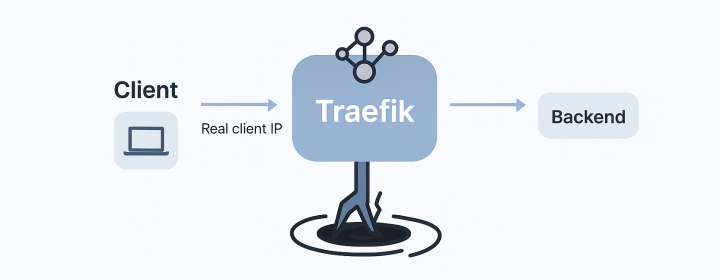
In some applications, getting the real client IP address is critical. For example, web APIs, analytics systems, or rate-limiting middleware rely on it for logging, geo-location, or security.
Normally, this is not a challenge. The backend can read the IP directly from X-Forwarded-For or the socket connection.
However, when the application is deployed behind a Traefik proxy and running as a Docker Swarm service, things become complicated.
The Issue
Understanding the Request Path
When an application is deployed behind Traefik in Swarm, one might assume the network request path is straightforward:
In reality, the traffic path through Docker Swarm’s ingress routing mesh complicates this assumption:
Consequently, Traefik only receives connections originating from Swarm’s internal IP, not the real client IP. Every backend in the cluster sees the Swarm internal IP, losing visibility of the user’s public IP.
Project Structure and Challenges
In a typical setup, a Docker Swarm cluster might have multiple nodes with Traefik running as a Swarm service. The backend application resides on the same overlay network (proxy):
(rewrites source IP)"] B --> C["Traefik (receives 10.x.x.x instead of real IP)"] C --> D["Backend Service (receives 10.x.x.x via headers)"]
This architecture results in backend logs showing only internal overlay addresses, missing the true client IP.
The Goal
We aim to ensure backend services receive the real external client IP while still leveraging Swarm service discovery and overlay networking.
Analysis of the Problem
Docker Swarm’s routing mesh leverages IPVS-based load balancing for managing connections on published ports:
- Incoming traffic is accepted by any node.
- A cluster-wide service task is selected.
- Traffic is sent through the ingress overlay network.
- The source IP is rewritten to the mesh’s IP.
Though flexible, this design strips the original client IP. Even with options like:
--entrypoints.web.forwardedHeaders.insecure=true
Traefik cannot forward this IP, as it never receives it initially.
The Solution
To bypass this limitation, we configure Traefik to bind directly to the host’s network interface using host-mode port publishing. This method spawns Traefik on each node in global mode, circumventing the ingress layer and eliminating port conflicts.
Traefik Stack Configuration
Deploy Traefik globally with host network mode:
version: "3.8"

networks:
  proxy:
    external: true

services:
  traefik:
    image: traefik:v2.11
    deploy:
      mode: global  # one instance per node
      placement:
        constraints:
          - node.role == manager
    command:
      - "--providers.docker.swarmMode=true"
      - "--providers.docker.endpoint=unix:///var/run/docker.sock"
      - "--providers.docker.network=proxy"
      - "--providers.docker.exposedByDefault=false"
      - "--entrypoints.web.address=:80"
      - "--entrypoints.websecure.address=:443"
      - "--entrypoints.web.forwardedHeaders.insecure=true"
      - "--entrypoints.websecure.forwardedHeaders.insecure=true"
      - "--log.level=INFO"
    ports:
      - target: 80
        published: 80
        mode: host  # bypass routing mesh
      - target: 443
        published: 443
        mode: host  # bypass routing mesh
    volumes:
      - /var/run/docker.sock:/var/run/docker.sock
      - /opt/traefik/letsencrypt:/letsencrypt
    networks:
      - proxy
Backend Example
Deploy a backend service integrated to Traefik:
  backend:
    image: your-backend:latest
    networks:
      - proxy
    deploy:
      labels:
        - "traefik.enable=true"
        - "traefik.http.routers.backend.rule=Host(`api.example.com`)"
        - "traefik.http.routers.backend.entrypoints=websecure"
        - "traefik.http.routers.backend.tls.certresolver=leresolver"
        - "traefik.http.services.backend.loadbalancer.server.port=8080"
        - "traefik.http.services.backend.loadbalancer.passHostHeader=true"
Verification Steps
-
Deploy your stack:
docker stack deploy -c traefik-stack.yml traefik-prod -
Test with an external request:
curl -v https://api.example.com -
Confirm the logs in both Traefik and the backend now display the real public IP.
Why This Works
By leveraging host network mode, the Swarm routing mesh is bypassed, enabling Traefik to access the node’s external interface directly. The updated network path is:
With this setup, Traefik can effectively forward X-Forwarded-For and X-Real-Ip headers to the backend.
Conclusion
The root issue is not Traefik itself, but the ingress layer of Docker Swarm that alters the packet source. The solution lies in using host-mode port publishing with a global Traefik deployment. This ensures backend services receive the genuine client IP, fostering accurate logging, security, and analytics across your cluster.
Enjoyed this article? Support my work with a coffee ☕ on Ko-fi.

