
Buy Me a Coffee
Forwarding Real Client IP in Docker Swarm

How to Forward the Real Client IP Through Traefik in Docker Swarm

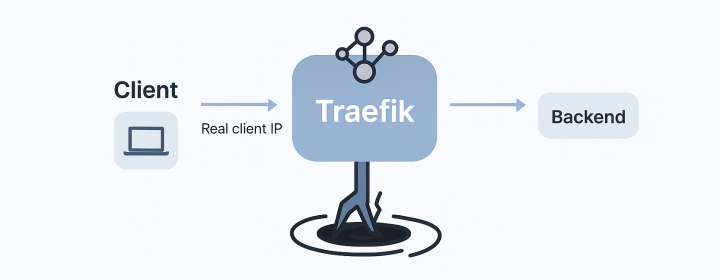
Introduction In some applications, getting the real client IP address is critical. For example, web APIs, analytics systems, or rate-limiting middleware rely on it for logging, geo-location, or security. Normally, this is not a challenge. The backend can read the IP directly from X-Forwarded-For or the socket connection. However, when the application is deployed behind a Traefik proxy and running as a Docker Swarm service, things become complicated. The Issue Understanding the Request Path When an application is deployed behind Traefik in Swarm, one might assume the network request path is straightforward: ...

[OCI/Swarm] How to Fix the "connect: no route to host" Error When Joining a Docker Swarm in OCI VM

Hey there, if you’re getting a super frustrating error when trying to join a Docker Swarm in Oracle Cloud Infrastructure (OCI) VM, then you’ve come to the right place! Here’s the error message you might see: Error response from daemon: rpc error: code = Unavailable desc = connection error: desc = "transport: Error while dialing dial tcp 132.12.23.123:2377: connect: no route to host" Yikes! But don’t worry, we’ve got some easy steps you can follow to fix it and get back to your Docker swarming in no time. ...

[Docker/DinD] Empowering Local Development: Simulating Mass Containers and Docker Swarm Nodes with Docker-in-Docker (DinD)

Introduction In the realm of modern software development, the use of containerization has revolutionized the way applications are developed, tested, and deployed. Docker, a popular containerization platform, allows developers to create lightweight and isolated environments known as containers. However, when dealing with scenarios involving multiple containers that require isolated environments, testing and debugging can become quite a challenge. Enter Docker-in-Docker (DinD), a powerful tool that alleviates these pains and streamlines the development process. ...

[WSL/Swarm] Fail to Join Docker Swarm as Worker

1. Problem I was trying to set up a Docker Swarm environment in my home network. My plan was to run the Docker Swarm manager node in a WSL2 Ubuntu distro on my Windows laptop, and run the Docker Swarm worker node on my MacMini. Both of them have Docker Desktop installed. When I tried to add a worker to the Swarm, I received the following error: Error response from daemon: rpc error: code = Unavailable desc = connection error: desc = "transport: Error while dialing dial tcp 192.168.65.3:2377: connect: connection refused" My operation is as followed below ...

DigitalOcean Referral Badge
Sign up to get $200, 60-day account credit !