
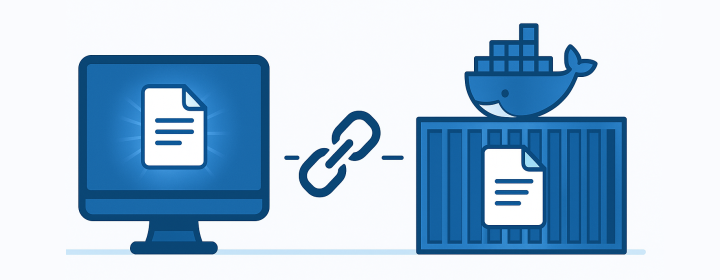
When you bind mount a file into a Docker container, you expect that updating the file on the host will immediately update the file inside the container. Yet many developers observe the opposite: the file content inside the container stays frozen at the old version. Interestingly, bind mounting a directory does not have this problem. The directory version updates correctly.
This post explains why file bind mounts behave differently, why the issue occurs, and how Linux inode behavior is the root cause.
The Scenario
- A file named
config.txtcontains:
AAA
- You bind mount it into a container at
/app/config.txt. - Inside the container, the file also shows:
AAA
- You update the host file to:
AAABBB
- But inside the container, the file still shows:
AAA
Directory mounts, however, update correctly. The root cause lies in Linux filesystem mechanics, especially inodes.
What an Inode Actually Is
On Linux filesystems, every file is represented by an inode. An inode stores metadata such as ownership, permissions, timestamps, and pointers to the file’s data blocks. Crucially, directory entries only map a filename to an inode number. This means even if a filename stays the same, the underlying inode (the real file object) can change. You can inspect the inode number of a file using:
ls -i file.txt
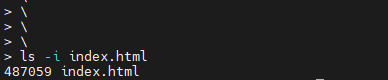
If two paths point to the same inode number, they reference the same underlying file. If the inode changes, the file is effectively a different object even if the name remains identical.
What Docker Actually Does: Linux Bind Mounts
Docker does not implement its own bind mount logic. It uses the Linux mount system call:
mount --bind /host/file /container/file
This operation attaches the same inode from the host to the container’s mount namespace. The container is effectively looking at the exact same file object that exists on the host filesystem.
This design works perfectly until the host file is modified in a way that replaces the inode.
Why the File Does Not Update: Inode Replacement
Many editors and tools (vim, nano, VSCode, sed -i, some CI tools) do not modify the file “in place.” Instead, they use a safer atomic update sequence:
- Create a temporary file containing the updated content.
- Write the new content to this temp file.
- Replace the original file with the temp file using a rename operation.
This results in:
- Old file: inode 1001 with content AAA
- New file: inode 2002 with content AAABBB
Even though the filename is the same, the underlying inode has changed.
A file bind mount references the inode that existed at mount time. Docker does not remount or track inode changes. Therefore, the container remains attached to inode 1001 while the host now uses inode 2002.
This is why the container still sees the old content. In the real life, we often use gitops to pull the latest changes, which will replace the file entirely, leading to this exact situation.
You can verify this by checking inode numbers:
Host:
ls -i config.txt
Container:
ls -i /app/config.txt
They often differ after an edit.
Why Directory Bind Mounts Work Correctly
Directory bind mounts behave differently because Docker mounts the directory inode, not individual file inodes.
When a file inside that directory is replaced, the directory inode updates its list of file entries:
- The directory now points to inode 2002 instead of 1001.
- The container, which is watching the same directory inode, sees the updated file list.
- The new file content becomes visible immediately.
Directory mounts reflect file replacements automatically because the directory itself remains the same inode.
Summary of the Technical Root Cause
- File bind mounts attach a single inode into the container.
- If the host editor replaces the file with a new inode, the container still points to the old inode.
- Directory binds always stay current because the directory inode does not change, only its contents do.
This is normal Linux behavior and not a Docker bug.
How to Avoid the Issue
Here are common approaches depending on the use case:
- Prefer directory bind mounts when possible.
- Ensure file editing tools modify the file in place instead of replacing it.
- Restart the container after updating the file if you must mount a file directly.
- Use volumes or configuration injection when the file content is expected to change frequently.
Each option ensures consistent behavior, but directory mounts are the simplest and most reliable.
Enjoyed this article? Support my work with a coffee ☕ on Ko-fi.

