
In production environments, many systems still use the latest tag for Docker images. While convenient, this makes it difficult to verify whether your program is actually pulling the updated image or just using a cached one.
To properly test the pull logic, you need a workflow that repeatedly builds and pushes images tagged as latest, each with a small change so the digest is unique every time. This post shows how to do that with a lightweight alpine-based image and a simple shell script. The image size is very small and it’s very fast to build.
Step 1. Minimal Dockerfile
Create a file called Dockerfile and copy the following content:
FROM alpine:latest

ARG BUILD_ID
ENV BUILD_ID=${BUILD_ID}

RUN echo "Build ID: ${BUILD_ID}" > /build-info.txt

CMD ["cat", "/build-info.txt"]
This Dockerfile:
- Uses
alpineas the base image (around 5 MB) - Includes a random build ID to ensure every build produces a new hash
- Keeps everything minimal for quick rebuilds
Step 2. Automated Build Script
Create another file called build.sh and add the following script.
Note:
- Replace
your.private.registry.com/yourrepo/testimagewith your actual registry and image name in line 4. Don’t need to addd thelatesttag here since the script will handle tagging. - Change the script permission to executable with
chmod +x build.sh.
 1#!/bin/bash
 2set -e
 3
 4REGISTRY="your.registry.com/yourrepo/testimage"
 5VERSION=$(date +%s)
 6BUILD_ID=$(openssl rand -hex 4)
 7
 8docker build \
 9  --build-arg BUILD_ID=$BUILD_ID \
10  -t $REGISTRY:latest \
11  -t $REGISTRY:$VERSION \
12  .
13
14docker push $REGISTRY:latest
15docker push $REGISTRY:$VERSION
16
17echo "Built and pushed:"
18echo " - $REGISTRY:latest"
19echo " - $REGISTRY:$VERSION (BUILD_ID=$BUILD_ID)"
This simple script:
- Builds and tags both a versioned and a
latestimage - Generates a unique digest each time
- Pushes both tags to your private registry
- Is easy to rerun for multiple quick tests
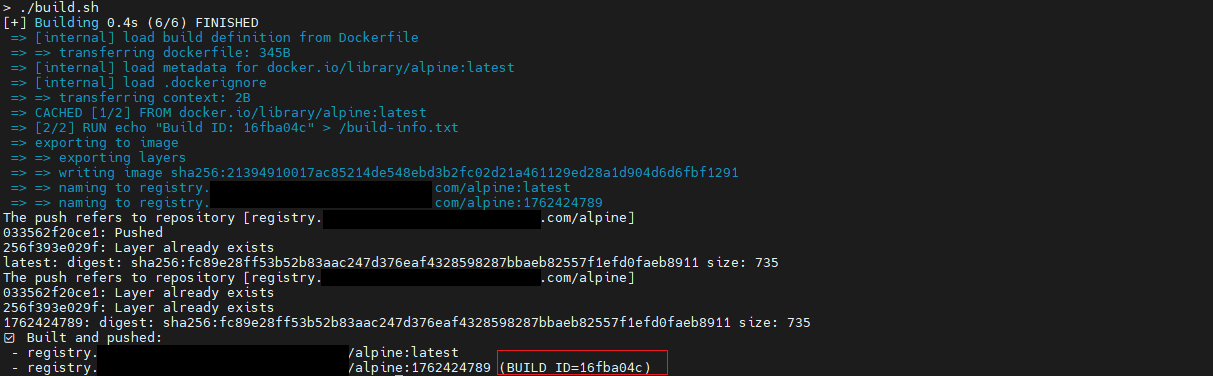
Step 3. Push Multiple Versions for Testing
docker login your.registry.com
./build.sh
To simulate multiple updates of the latest image:
for i in {1..5}; do bash build.sh; done
Each run pushes a new latest image with a different digest and version tag, perfect for verifying your program’s pull logic.
Or you can also run it manually depending on your testing needs:
Testing the Pull Logic (In Portainer)
I used Portainer to demonstrate the pull testing.
-
Run the script to build and push the images. The generated build ID is
16fba04cin this example. -
Create a stack with the following
docker-compose.yml:
version: '3'

services:
  private-alpine:
    image: your.registry.com/alpine:latest
    environment:
      - LABEL=abc
  public-alpine:
    image: alpine:latest
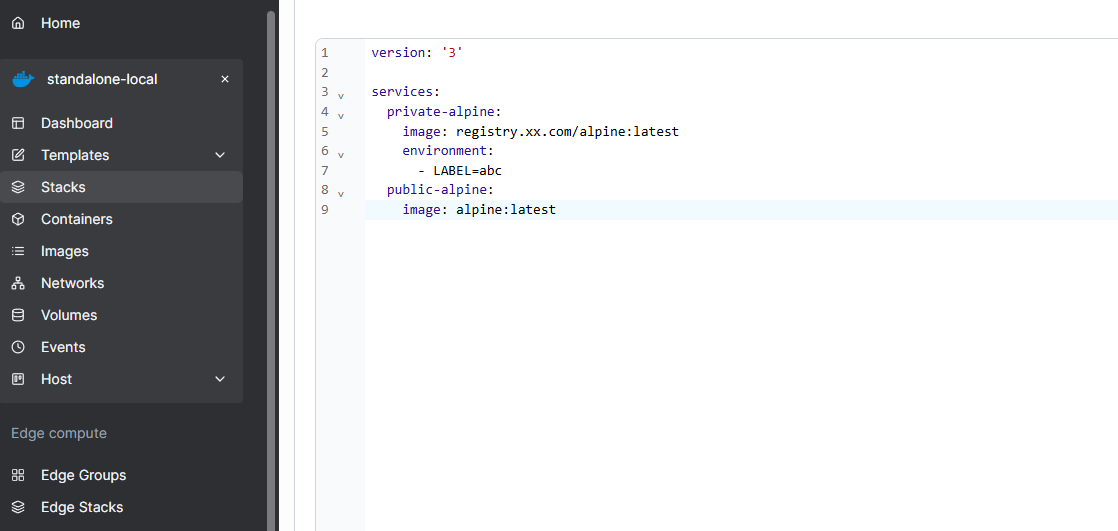
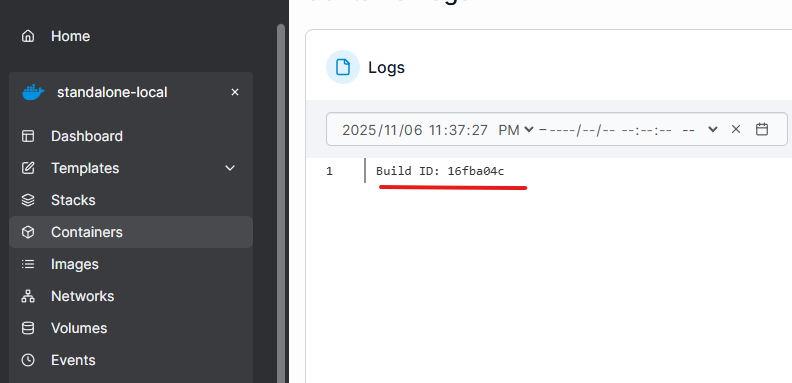
- After deploying the stack, check the logs of the
private-alpineservice to see the build ID. It shows16fba04cas expected.
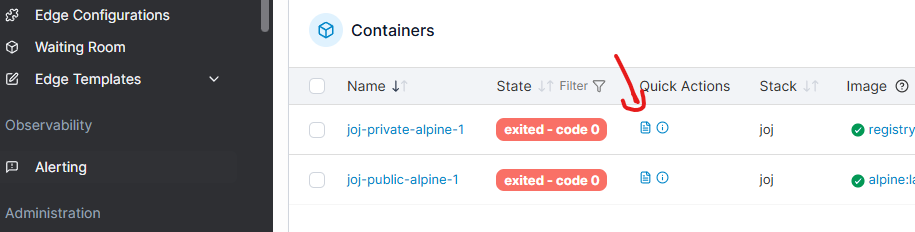
-
Now, run the
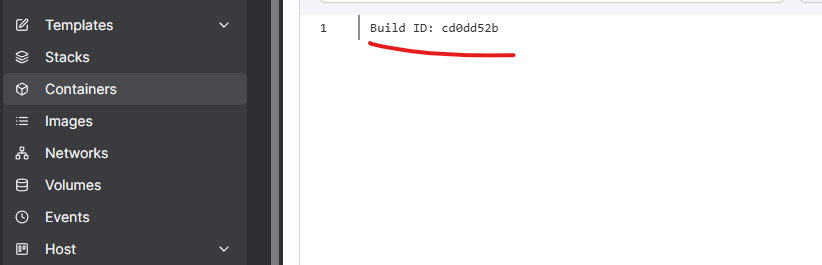
build.shscript again to push a newlatestimage. The new build ID iscd0dd52b. -
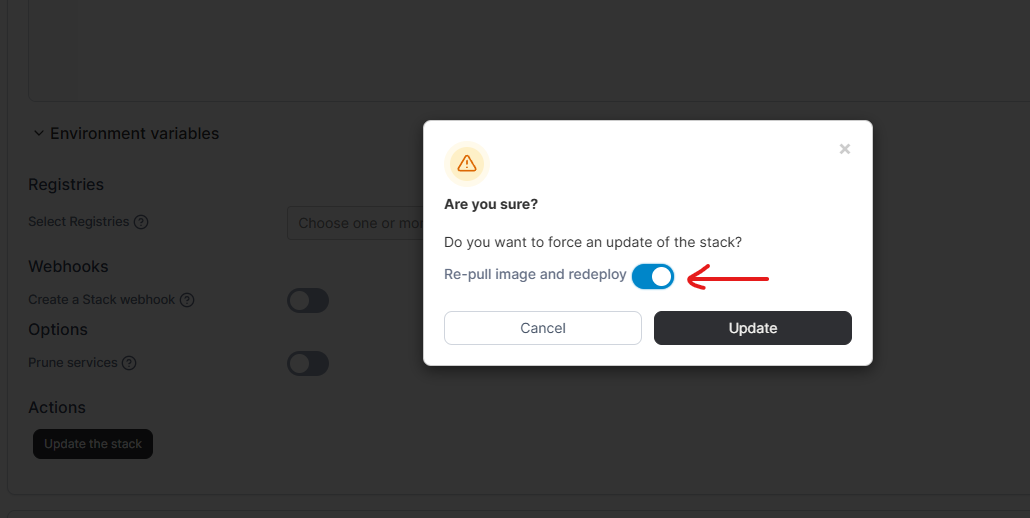
In Portainer, update the stack with “Re-pull image and redeploy” option. And then check the logs again. It shows the new build ID
cd0dd52b, confirming that the new image was pulled successfully.
Why This Helps
This workflow lets you:
- Test whether your system truly pulls new versions of
latestimages - Avoid large rebuilds by using a tiny Alpine base
- Track each build using the timestamp and
BUILD_IDinside the image - Automate the process with just one reusable script
If your production setup depends on latest, this simple approach can save you time and provide a reliable way to test how your Docker pull feature behaves under real conditions.
Enjoyed this article? Support my work with a coffee ☕ on Ko-fi.

