

Buy Me a Coffee
Drone CI Slack Notification

[DroneCI/Slack] How to Send CI Build Notification with Slack (Step by Step Tutorial)

Today let’s have a look at how to integrate Slack to your CI pipeline. The CI platform we are using is DroneCI, which is a self-service Continuous Integration platform for busy development teams. 1. Benefits Well, there are many benefits to integrate Slack to your CI pipeline. Here are some of them: You can get notified when the CI pipeline is running, failed or succeeded. The notification will be sent to the Slack channel you specified. Therefore, you can easily track the CI pipeline status in the Slack channel. You can also get notified when someone pushes the code to the repository. This is very useful when you are working in a team. You can get notified when your team member pushes the code to the repository. Slack is a very popular communication tool. Your team is probably using it. Therefore, it’s very convenient to integrate Slack to your CI pipeline. 2. Prerequisites You have a Slack account. You have a DroneCI account. 3. Steps 3.1 Create Slack Channel Create channel for receiving the notification. Give a name, for example, #ci-pipeline. Remember the name, we will use it later. Specify the channel visibility. In this example, we will make it private. Then click Create. 3.2 Create Slack App Make sure you have the permission to create Slack App. If not, please contact your Slack administrator. ...
[Golang] Retaining Specific Folders and Removing the Rest under A Target Path

Let’s consider a situation where there are multiple folders located under a specific path, and we only have the names of a few folders that we want to retain while removing the rest. For instance, the folder structure is presented below, with all entries being folders: ├── 123123 ├── 123456 ├── 123678 ├── 123789 ├── target-folder-1 └── target-folder-2 To tackle this scenario, we can approach it in two logical ways: Firstly, we can move the known folders to a different folder at the same level as the target path, as a temporary measure. Then, we can delete the target path and rename the temporary folder to match the path name. Alternatively, we can traverse through the target path and eliminate all folders except those we intend to keep. In this post, I will demonstrate how to implement the second method using Golang. ...

[mTLS] How to Generate Self-Signed mTLS Certs and Keys in 10s (No Click Bait)

1. Introduction No matter if you are a software developer, a quality assurance engineer, or a DevOps engineer, you may need to generate a self-signed mutual TLS(mTLS) or TLS certificates and keys for testing purposes. As the title shows, this post is not a click bait. I will show you how to generate a self-signed TLS certificate and key in 10s for both server and client. Of course, if you have mTLS certificate and key files, you can also use part of them as self-signed TLS certificate and key. ...

[ent/SQLite3] insert nodes to table "users": near "RETURNING": syntax error

Problem If you use ent with sqlite3 driver in your Golang project, you may encounter the following error when you try to insert a new record to the table. insert nodes to table "users": near "RETURNING": syntax error Analysis The error message indicates that the sqlite3 driver does not support the RETURNING clause. If you are using Golang sqlite3 package github.com/mattn/go-sqlite3 in your project. The issue may be caused by the version of the package. ...

traefik reverse proxy to non-containerized service

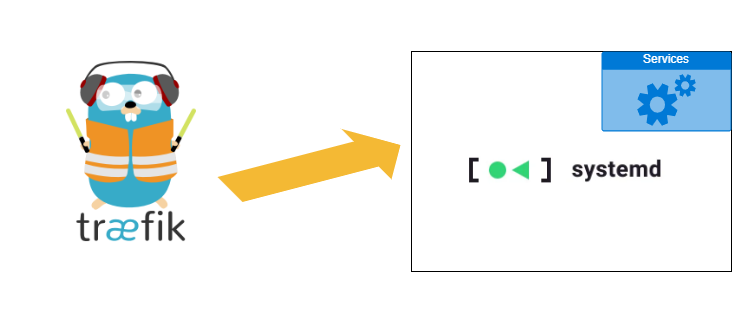
[Traefik/OCI] Exposing Internal Non-Containerized Services with Traefik on OCI: A Step-by-Step Guide

Traefik is a popular reverse proxy that can be used to expose internal containerized services to the public in a simple and intuitive way. However, if you want to expose internal services that are installed and configured directly on the host system instead of containerized, you may encounter some difficulties, particularly when using Oracle Cloud Infrastructure (OCI). This technical post will provide a step-by-step guide on how to expose internal non-containerized services to the public using Traefik on OCI. ...

[Gitea] RewriteAllPublicKeys failed: open /data/.ssh/authorized_keys.tmp: permission denied

Gitea has recently released version 1.20.0, and I endeavored to upgrade my locally-hosted instance from version 1.17.0 to 1.20.0. During this process, I encountered the following error when attempting to execute the docker-compose file: routers/init.go:60:mustInit() [F] code.gitea.io/gitea/models/asymkey.RewriteAllPublicKeys failed: open /data/git/.ssh/authorized_keys.tmp: permission denied Received signal 15; terminating. This issue is not exclusive to the new version, as some users have reported similar problems when upgrading from older versions, such as 1.17.3 to 1.18.0. ...

[OCI/Swarm] How to Fix the "connect: no route to host" Error When Joining a Docker Swarm in OCI VM

Hey there, if you’re getting a super frustrating error when trying to join a Docker Swarm in Oracle Cloud Infrastructure (OCI) VM, then you’ve come to the right place! Here’s the error message you might see: Error response from daemon: rpc error: code = Unavailable desc = connection error: desc = "transport: Error while dialing dial tcp 132.12.23.123:2377: connect: no route to host" Yikes! But don’t worry, we’ve got some easy steps you can follow to fix it and get back to your Docker swarming in no time. ...

SFTP SaaS platform - Securely transferring files between local machines and remote servers.

[SFTP/SaaS] How does Cloud-Based SFTP SaaS work?

If you have ever wonder that how the SFTP(Secure File Transfer Protocol) SaaS(Software as a Service) product architecture looks like, this post will give you a brief introduction. Designing the architecture for an SFTP SaaS product involves considering various components and their interactions. Here’s a high-level architecture for an SFTP SaaS product: 1. High-level Architecture 1.1 User Interface (UI) Develop a user-friendly web-based interface that allows users to manage their SFTP accounts, access files, and perform file operations. Implement authentication and authorization mechanisms to ensure secure access to user accounts. 1.2 Account Management Implement a system for users to sign up, create SFTP accounts, and manage their account settings. Include features like password management, account deletion, and permission management for shared folders. 1.3 File Storage Design a scalable and reliable file storage system to store and manage user files securely. Consider options like cloud storage providers (e.g., Amazon S3, Google Cloud Storage) or a distributed file system. Ensure data redundancy, backups, and data encryption to maintain data integrity and security. If you are confused about the File Storage component, section 2 has a more detailed explanation below ⬇️ ⬇️ ⬇️ ...

[Docker/DinD] Empowering Local Development: Simulating Mass Containers and Docker Swarm Nodes with Docker-in-Docker (DinD)

Introduction In the realm of modern software development, the use of containerization has revolutionized the way applications are developed, tested, and deployed. Docker, a popular containerization platform, allows developers to create lightweight and isolated environments known as containers. However, when dealing with scenarios involving multiple containers that require isolated environments, testing and debugging can become quite a challenge. Enter Docker-in-Docker (DinD), a powerful tool that alleviates these pains and streamlines the development process. ...

[Golang/VSCode] Master Golang Debugging in VSCode: Step-by-Step Guide with Delve

Introduction If you are rocking VSCode as your IDE for Golang development and haven’t installed the debugger, I would recommend you to do it now. And Don’t worry, I’ve got your back. In this friendly guide, I’m going to walk you through the process of setting up and configuring the Golang debugger in VSCode. Step by step guide 1. Install the Debugger for Golang Delve, a fantastic open-source project, is your go-to debugging companion for Golang in VSCode. This powerful tool works like a charm on Linux, macOS, Windows, and FreeBSD. For this guide, we’ll focus on Windows, but the steps remain consistent across other platforms ...

DigitalOcean Referral Badge
Sign up to get $200, 60-day account credit !
