Buy Me a Coffee
macOS GPG signing error

[Git/GPG] Fix the "Inappropriate ioctl for device" Error when Signing GPG Keys

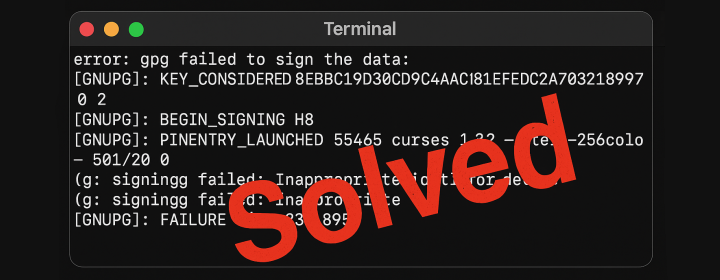
If you’re working on a macOS and trying to set up GPG keys for your GitHub repositories, you might encounter an error that looks like this: error: gpg failed to sign the data: [GNUPG:] KEY_CONSIDERED 8EBBC19D30CD94DAC81EFEDC2A703231B997AC90 2 [GNUPG:] BEGIN_SIGNING H8 [GNUPG:] PINENTRY_LAUNCHED 55465 curses 1.3.2 - xterm-256color - - 501/20 0 gpg: signing failed: Inappropriate ioctl for device [GNUPG:] FAILURE sign 83918950 gpg: signing failed: Inappropriate ioctl for device This is a surprisingly common issue, and it often points to a problem with the pinentry UI - the program that prompts you for your GPG passphrase. ...


Docker garbage characters in API responses

[Docker] `docker exec` API Responses returns Garbage Characters

When using the Docker Engine API to execute commands inside a container, some users report seeing garbage characters or random symbols appearing in the API response. These characters do not appear when the same command is executed interactively in the terminal, and they often show up inconsistently. This behavior can be confusing, but it’s actually expected under certain conditions. 1. The Issue A developer may use the Docker Exec API to run commands in containers, such as: ...

Exit handler never called!

[GithubAction] 'npm error Exit handler never called!' in GitHub Actions

Introduction Have you encountered the “npm error Exit handler never called!” in your GitHub Action? It’s a frustrating issue that can halt your workflow execution unexpectedly. This post delves into understanding why this error occurs and how to effectively resolve it. error: ---> Running in 44d17f6484e3 npm error Exit handler never called! npm error This is an error with npm itself. Please report this error at: npm error <https://github.com/npm/cli/issues> npm error A complete log of this run can be found in: /root/.npm/_logs/2025-10-18T04_48_30_916Z-debug-0.log The command '/bin/sh -c npm ci' returned a non-zero code: 1 ...

[DecapCMS/NetlifyCMS] Invalid String Length Error

The Problem While using DecapCMS in a local environment, you might encounter the following error: error: Error handling {"branch":"feat/add-new-post","action":"getMedia","params":{"branch":"feat/add-new-post","mediaFolder":"static/images"}}: Invalid string length Context: The repository is built with Hugo. It is approximately 600MB, with a static/images folder containing about 5000 images totaling more than 500MB. This error doesn’t appear when DecapCMS is run on a production environment like Netlify, but locally it occurs when attempting to view certain pages. Running DecapCMS Locally To run DecapCMS locally, you use: ...

Docker Pull Flow Troubleshooting

[Docker/Registry] Troubleshooting Image Pull Failures in Self-Built Container Management Tool that Uses Docker Compose SDK

The Problem I’m building a container management tool using the Docker Compose SDK (link) and the Docker CLI library (link). One feature is the ability to deploy Docker Compose YAML files that reference images from private registries. To handle authentication, I added private registry credentials into my tool and injected them into the Docker client using the authConfig field during Compose service initialization. I expected Docker Compose to use these credentials when pulling images. ...

DigitalOcean Referral Badge
Sign up to get $200, 60-day account credit !