
Integrating n8n with MinIO can streamline your data management processes by automating file uploads directly to your MinIO storage. However, sometimes this integration might run into a common error:
Cannot read properties of undefined (reading '_')
In this post, we’ll walk through how to troubleshoot and fix this issue effectively.
Understanding n8n and MinIO
n8n is an open-source workflow automation tool that connects with multiple services, while MinIO serves as a robust, high-performance object storage system compatible with the S3 API. When combined, they facilitate automated data workflows.
Decoding the Error
This specific error suggests that there’s an attempt to access a property on an undefined object in JavaScript. It often points to a configuration mismatch between n8n and MinIO.
Prerequisites
Before starting the troubleshooting process, ensure these components are correctly set up:
- MinIO Server Accessibility: Confirm that your MinIO server is operational and network-accessible.
- Valid Credentials: Verify that your access key and secret key are accurate.
- n8n Configuration: Double-check that n8n is correctly configured to interact with your MinIO server.
These steps are critical to maintaining seamless communication between n8n and MinIO.
Troubleshooting Steps
Initial Checks
- Node Configuration: Check that the filename in your n8n node is correct.
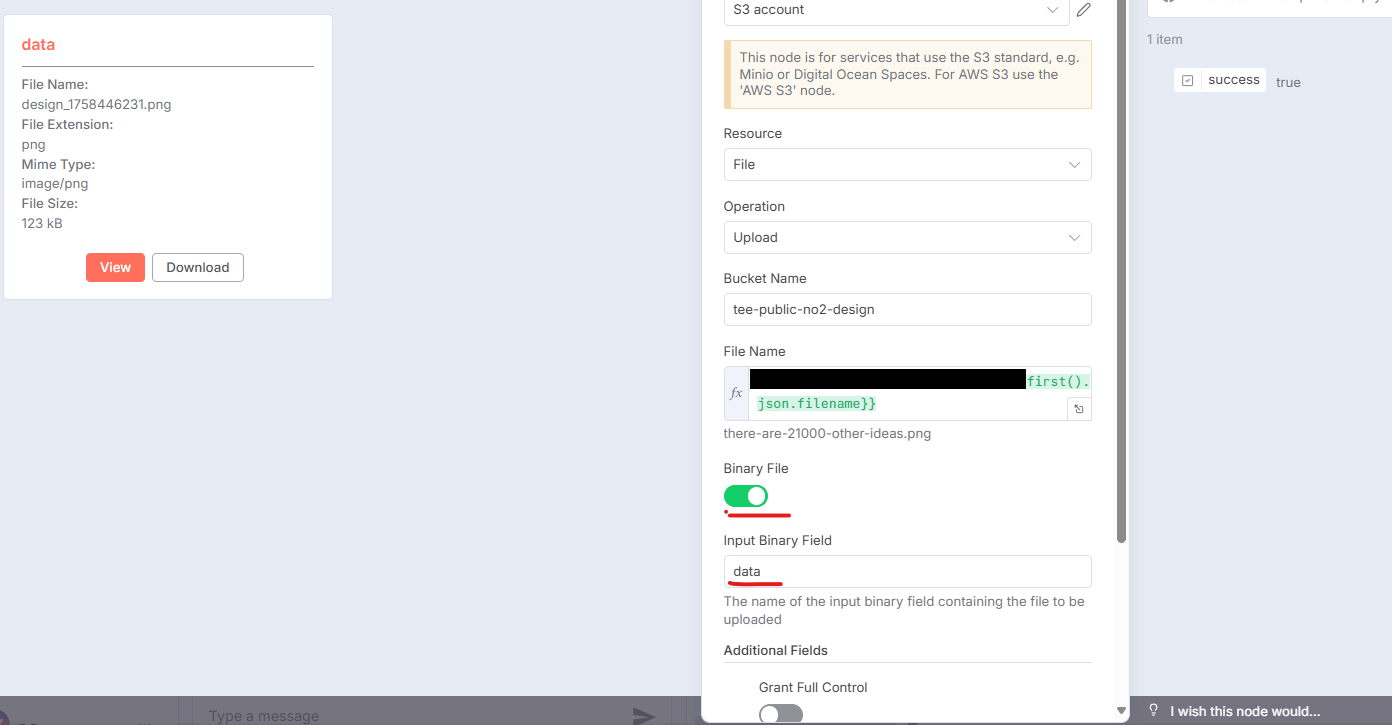
- Credentials Configuration: Look over your S3 credentials for any mistakes.
If the issue persists, move to the next step.
Root Cause: Force Path Style Configuration
A common cause of this issue is the Force Path Style setting within the S3 credentials. If this option is disabled, it can lead to problems with MinIO.
Solution: Quick Fix Guide
- Navigate to S3 Credentials in n8n: Go to the S3 credentials section in your n8n settings.
- Enable Force Path Style: Activate the Force Path Style option to meet MinIO’s configuration needs.
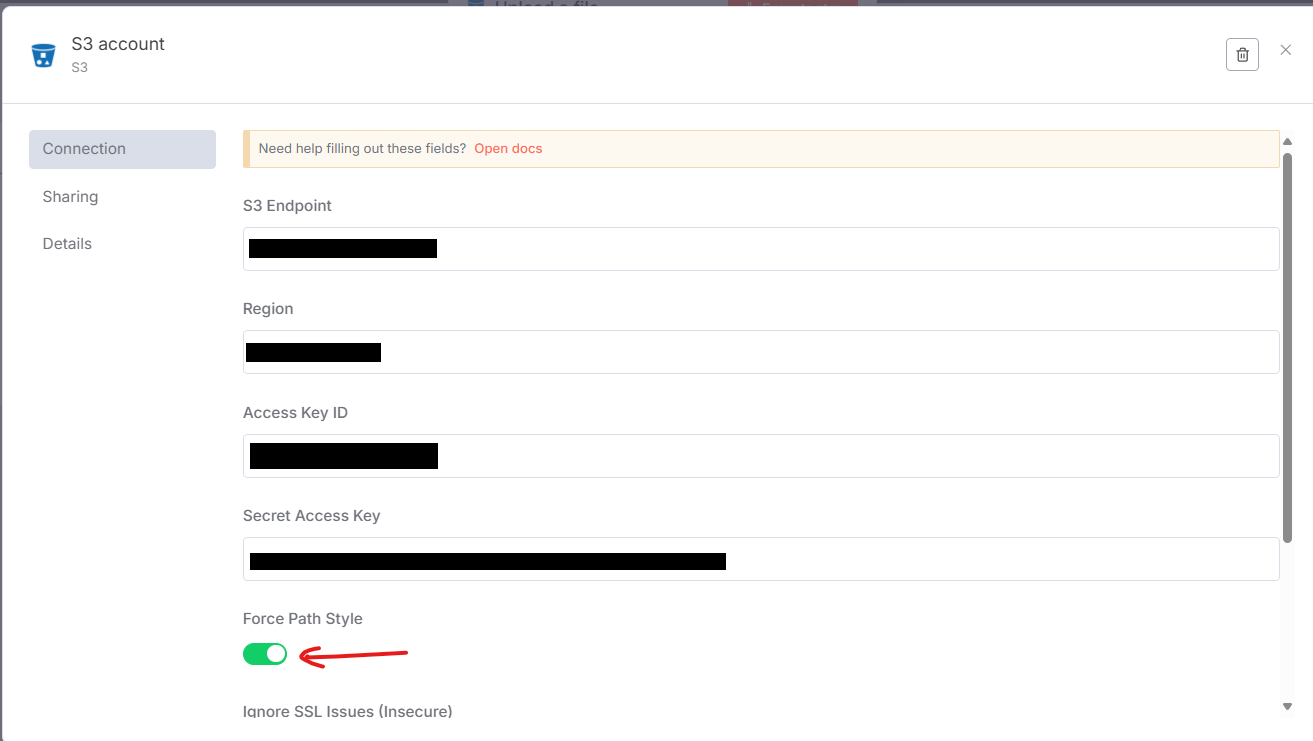
Turning on this option usually resolves the error and enables smooth file uploads.
Real-Life Scenario
Imagine an administrator using n8n to automate log uploads to a MinIO server. Running into this error could halt the entire process, causing delays. By following the correction steps detailed here, they can quickly restore operations, saving both time and resources.
Conclusion
Paying close attention to configuration details, like the Force Path Style option, can prevent annoying connectivity issues. Understanding these settings helps users to keep workflows between n8n and MinIO efficient. For ongoing problems, revisiting these configurations often provides a straightforward fix.
Including visuals or screenshots can guide users in applying these solutions more easily.
Enjoyed this article? Support my work with a coffee ☕ on Ko-fi.

